
Jenkins
Monitoring of Jenkins jobs and builds in Pipedash on a self-hosted server, with parameter discovery for triggers and build cancel.
The Jenkins plugin (jenkins) monitors the selected jobs on a Jenkins server. It reads the last build of each job, loads build history, starts builds with the job's parameters and stops running builds.
Requirements
The plugin authenticates with the Jenkins username and an API token instead of the account password. Pipedash sends both as HTTP Basic credentials. Jenkins has no optional scopes, so Pipedash has nothing else to check.
Configuration
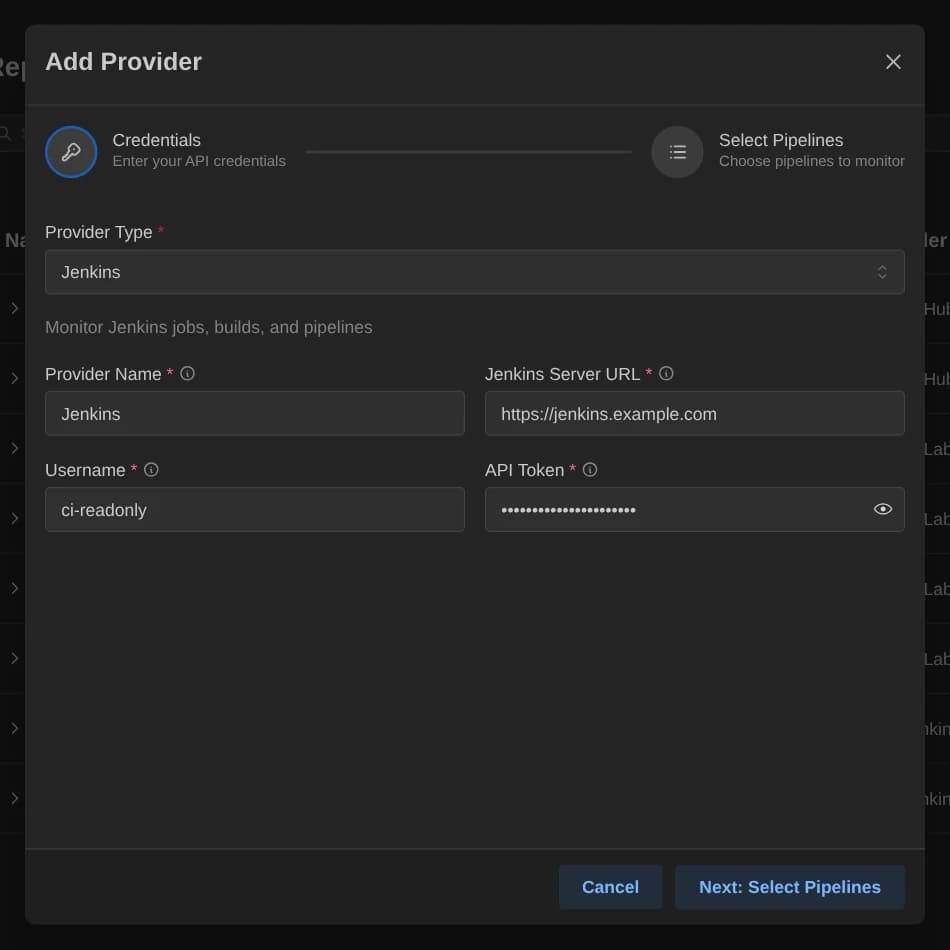
| Key | Type | Required | Default | Description |
|---|---|---|---|---|
server_url | Text | Yes | None | The Jenkins server URL, for example https://jenkins.example.com. |
username | Text | Yes | None | The Jenkins username. |
token | Password | Yes | None | Jenkins API token instead of the account password. |
The config table of the TOML file also takes selected_items, a comma-separated list of job paths. A job inside a folder uses a slash, for example team/service-build.
Base URL
Jenkins has no default host, so server_url is required. Pipedash uses it as given and adds no API prefix. A trailing slash is ignored.
Pipeline discovery
Discovery walks the server from the root, opens folders and lists pipeline jobs, freestyle jobs and multibranch projects. Other item types are skipped. Large servers take longer on the first request. Jenkins has no organizations, so the picker shows one placeholder named Jenkins Server. Search matches name, ID and description.
Pipedash shows the last build of each job in selected_items. If some jobs fail to load, the rest still appear. A missing or empty selected_items shows an error (No jobs selected or No jobs configured).
Trigger parameters
Pipedash reads the job's parameter definitions and turns each one into a trigger field. No field is required.
| Jenkins parameter | Trigger field |
|---|---|
| Boolean parameter | Boolean, default false unless the job sets one |
| Choice, cascade choice or dynamic reference parameter with choices | Choice, with the job's default selected |
| Any other parameter | String, with the job's default value |
Cancel
Pipedash stops the build through the Jenkins API, using the run number as the build number.
TOML example
The server address goes in server_url, not base_url.
[providers.jenkins-legacy]
name = "Jenkins Legacy"
type = "jenkins"
token = "${JENKINS_TOKEN}"
refresh_interval = 60

[providers.jenkins-legacy.config]
server_url = "https://jenkins.company.com"
username = "${JENKINS_USER}"
selected_items = "legacy-app-build,legacy-app-deploy"
Status mapping
A build that Jenkins reports as building is always running. Otherwise Pipedash maps the build result.
| Pipedash status | Jenkins state |
|---|---|
success | SUCCESS |
failed | FAILURE, UNSTABLE |
running | Building, or no result yet |
pending | Any other result |
cancelled | ABORTED |
skipped | NOT_BUILT |