
Metrics
Run duration, success rate and run frequency per pipeline, with retention, aggregation and the two switches that turn collection on.
Pipedash can turn completed runs into 3 metrics per pipeline and chart them. Collection stays off until enabled, and 2 separate settings control it. The chart icon on a workflow row opens the chart. The URL /pipelines/<pipeline id>?tab=metrics opens it too.
Enabling metrics
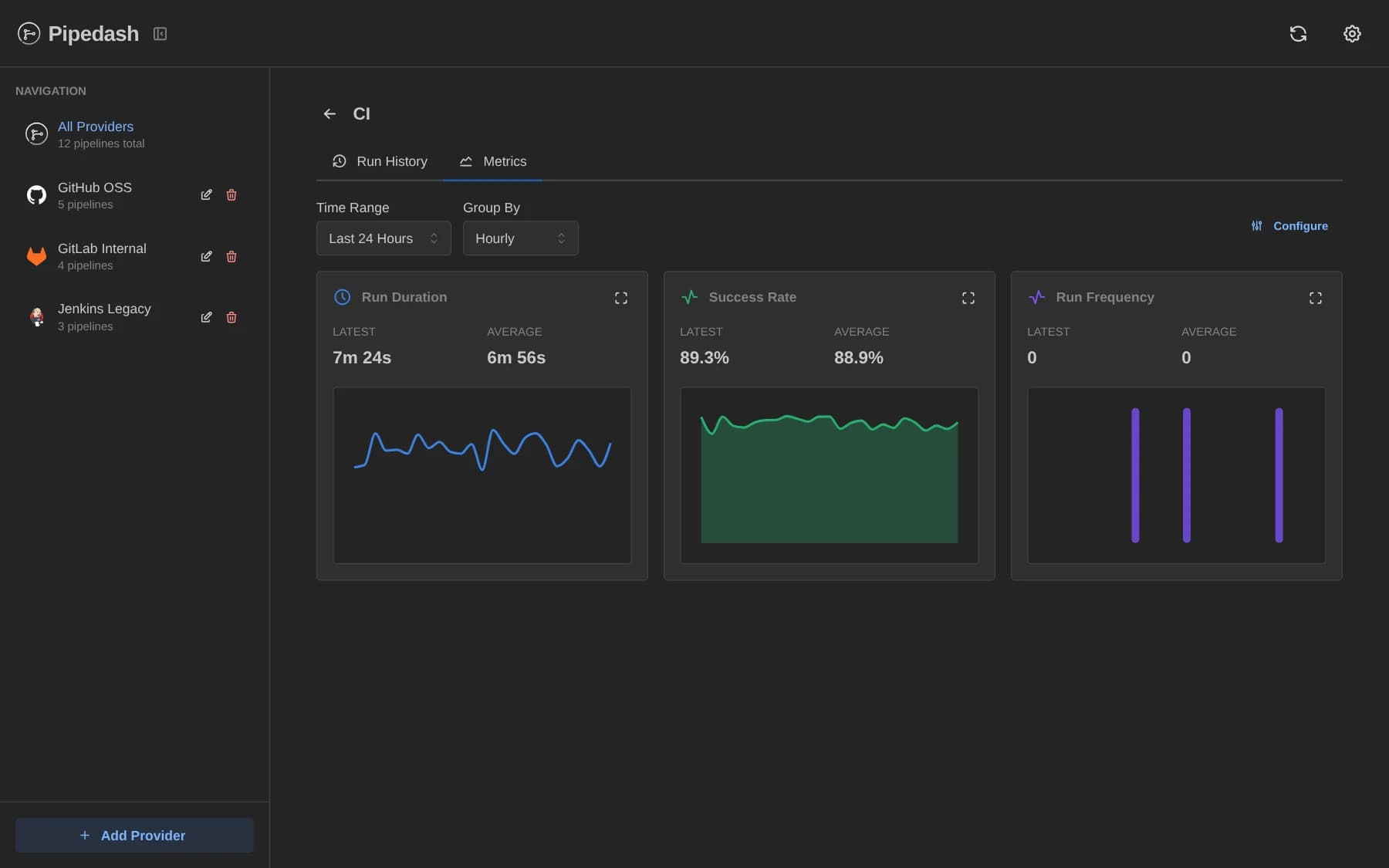
Metrics have an application switch and a global switch. They have different defaults.
| Setting | Where | Default |
|---|---|---|
general.metrics_enabled | config.toml | true |
PIPEDASH_METRICS_ENABLED | Environment | Unset |
| Global metrics switch | Settings, Metrics section | Off |
- Application switch:
general.metrics_enableddecides whether Pipedash starts the metrics service. When it isfalse, the REST metrics routes answerMetrics service not available. The Configuration page covers the config file. - Environment variable: the current version does not read
PIPEDASH_METRICS_ENABLEDat startup. Only theconfig.tomlkey takes effect. - Global switch: decides whether Pipedash records runs. It is off by default, so a fresh install has the service but records nothing.
The global switch lives in Settings, in the Metrics section. It stores the on or off state and the default retention in days. The presets are 7, 14, 30, 60 and 90 days, and the field accepts a custom value. The REST route is PUT /api/v1/metrics/config.
Each pipeline has its own config with an on or off state and a retention. A pipeline without its own config inherits both values from the global config. A pipeline with metrics off shows "Metrics Not Enabled" and an Enable Metrics button. Retention must be at least 1 day, and a smaller value returns Retention days must be at least 1. Turning metrics on again makes Pipedash read the old runs once more.
What Pipedash records
Pipedash extracts metrics from runs that finished with status success, failed, cancelled or skipped. It only looks at runs newer than the last processed one, up to 200 runs per batch.
| Metric type | Value per run | Rule |
|---|---|---|
run_duration | Seconds | Recorded whenever the run has a duration, including skipped runs. |
success_rate | 100 or 0 | 100 for success, 0 for failed and cancelled. Skipped runs record none. |
run_frequency | 1 | One per run. Skipped runs record none. |
Each entry stores the status, branch and actor. Pipedash never records the same run twice for a metric type.
Extraction runs in the background after run history loads.
Periods and aggregation
The chart groups values by period and applies an aggregation to each group.
| Setting | Values |
|---|---|
| Periods | hourly, daily, weekly, monthly |
| Aggregations | avg, sum, min, max, p95, p99 |
| Chart time ranges | 24 hours, 7 days, 30 days, 60 days, 90 days |
The chart uses avg for duration and success rate and sum for frequency. Its Group By menu offers all 4 periods. The time range menu disables ranges longer than the pipeline's retention. The URL keeps dateRange (default 24h) and period (default hourly).
Retention and cleanup
Pipedash cleans up metrics on startup and then every 6 hours. Cleanup deletes entries older than the retention of each pipeline, or the global default when the pipeline has no config. The Refresh page covers the loop that runs the check.
Storage and flush
Metrics live in the main database. Settings, in the Cache section, shows the metrics entry count when it is above 0.
| Action | REST route |
|---|---|
| Read global config | GET /api/v1/metrics/config |
| Read or set pipeline config | GET and PUT /api/v1/metrics/pipelines/{id}/config |
| Query raw entries (1000 by default) | POST /api/v1/metrics/pipelines/{id}/query |
| Query aggregated values | POST /api/v1/metrics/aggregated |
| Storage stats | GET /api/v1/metrics/storage/stats |
| Delete metrics | POST /api/v1/metrics/flush |
Storage stats return the entry count, the estimated size in bytes and MB, the last cleanup time and a count per pipeline. A flush deletes the metrics of one pipeline. Without an id it deletes them for all pipelines. Pipedash then reads the old runs again.