
Cache
The 3 caches Pipedash keeps, how Settings shows and clears them, and what a factory reset deletes.
Pipedash keeps 3 caches in its database so the dashboard opens without waiting for providers. The Cache section in Settings shows how many entries each holds and clears them.
What Pipedash caches
| Cache | Filled by | Used by |
|---|---|---|
| Pipelines | Every provider fetch | The dashboard |
| Run history | Run history fetches, which add only new and changed runs | The run history page |
| Workflow parameters | The first trigger form open for a workflow | The trigger form |
Settings also shows the number of stored metric entries. It is 0 when the metrics service is off. Clearing caches leaves metrics alone, and only a metrics flush deletes them. The Metrics page covers the flush.
REST routes
On the web server every clear action has a route under /api/v1.
| Action | Route |
|---|---|
| Read counts | GET /cache/stats |
| Clear one pipeline's run history | DELETE /cache/run-history/{pipeline_id} |
| Clear all run history | DELETE /cache/run-history |
| Clear pipelines | DELETE /cache/pipelines |
| Clear workflow parameters | DELETE /cache/workflow-params |
| Clear all three | DELETE /cache/ |
The count route returns pipelines_count, run_history_count, workflow_params_count and metrics_count. Clearing pipelines returns { "cleared": N } with the number of deleted rows. Clearing all three runs as one transaction.
What clears caches on its own
- Every pipeline fetch: clears the workflow parameters cache first.
- Status changes: the refresh loop clears the run history of a pipeline whose status or last run changed. The Refresh page covers the loop.
- Manual refresh:
POST /api/v1/refresh/allclears all run history first. - Trigger and cancel: the desktop app clears the run history of the pipeline it acts on.
- Provider removal: removing a provider deletes its pipelines, their run history and their workflow parameters, and queues deletion of its token.
Settings page
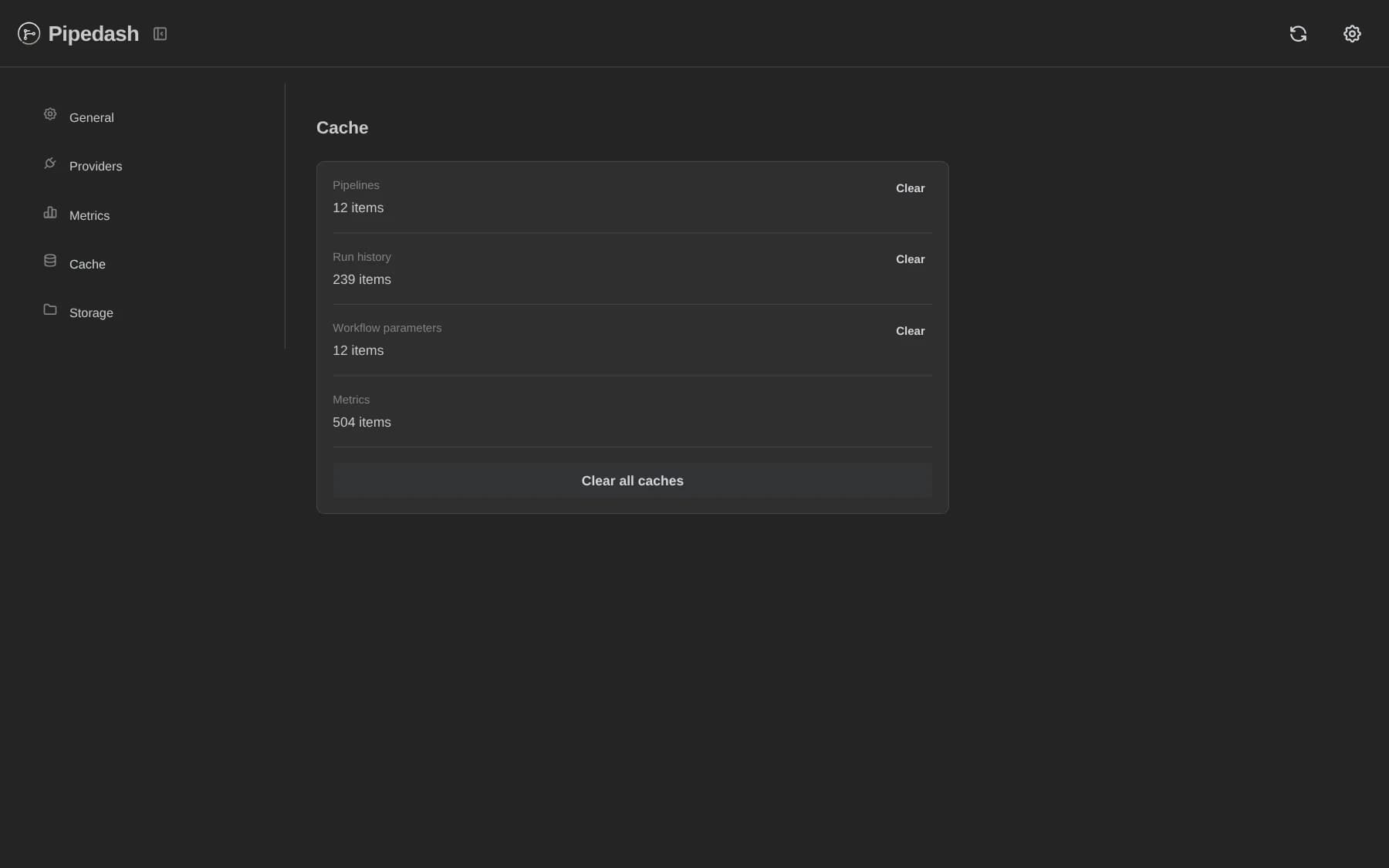
The Cache page in Settings lists Pipelines, Run history and Workflow parameters, each as N items with a Clear button. A Metrics row appears when the metrics count is above 0 and has no Clear button. A Clear all caches button sits at the bottom.
Every clear asks for confirmation with Data will be re-fetched when needed. Counts refresh every 30 seconds while the page is visible. After a clear, Settings refreshes the provider and pipeline lists.
Factory reset
The Reset Storage button sits in Settings, General, Danger Zone. Its dialog lists what it deletes: all providers and tokens, and all cached data and metrics. The Reset Everything button confirms the reset. On success the UI clears browser localStorage.
The desktop app runs these steps in order:
- Remove every provider, with its caches and token.
- Clear all caches in one transaction.
- Delete all metrics.
- Remove every token left in the token store.
- Remove legacy keyring entries named
provider_<id>.
A failed step logs a warning and the reset continues. The reset leaves config.toml, the database file and the vault password untouched.
The REST route POST /api/v1/factory-reset removes each provider, stops at the first failure, and deletes metrics. It returns caches_cleared and tokens_cleared as true without clearing them separately, because removing a provider already deletes its caches and queues its token deletion.