
Introduction
Pipedash is one dashboard for CI/CD pipelines from 7 providers. It runs as a desktop app, a Docker web server or an iOS app.
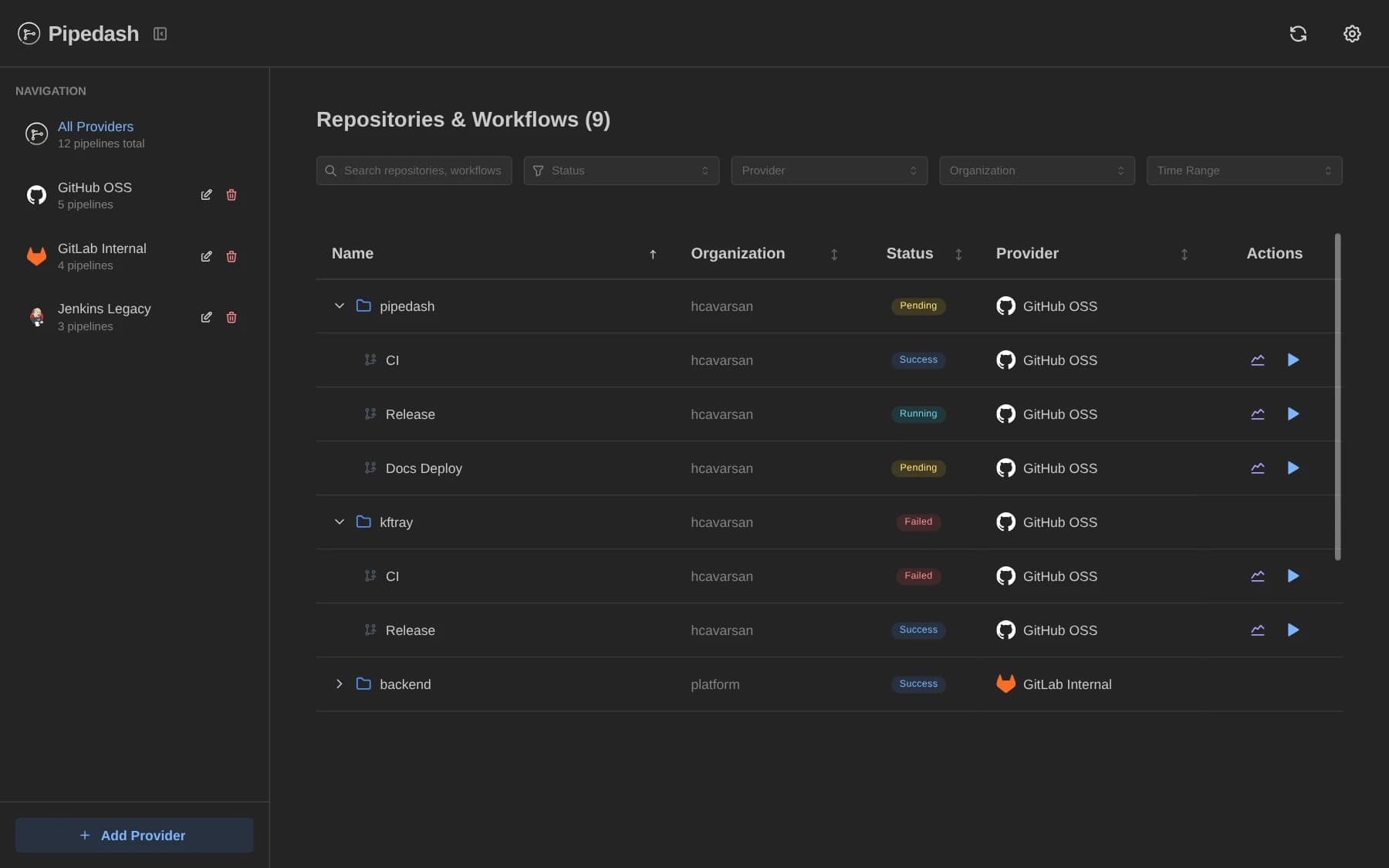
Pipedash shows the pipelines of GitHub Actions, GitLab CI, Bitbucket Pipelines, Buildkite, Jenkins, Tekton and ArgoCD in one dashboard. Adding a provider takes one API token. Pipedash then lists the selected pipelines and shows every status in one view.
Ways to run Pipedash
Pipedash ships in 3 forms. They share the same interface and the same provider support.
- Desktop app: a native app for macOS, Windows and Linux. The Desktop page has the details.
- Docker web server: the
pipedash-webimage serves the interface and a REST API from one container. The Docker page has the details. - iOS app: the same interface on iPhone, from the App Store. The Mobile page has the details.
Capabilities
- Status view: the dashboard lists every pipeline from every provider, grouped by repository and workflow.
- Run history: a pipeline opens to its list of runs, and a run opens to its details.
- Parameterized triggers: Pipedash loads the inputs of the workflow from the provider and shows them in a form.
- Rerun: a previous run starts again with the same inputs.
- Cancel: the run history and the run details can stop a running build.
- Multiple instances: Pipedash accepts the same provider more than once, for example 2 GitHub accounts with different tokens.
The providers index lists what each provider supports.
Local data
Pipedash connects from the device directly to the CI/CD providers. The privacy policy says Pipedash has no analytics, tracking or telemetry.
Credentials, pipeline configuration and preferences live in a local database and in the token store chosen during setup. The token options are the system keyring, an encrypted SQLite database or an encrypted PostgreSQL database. The security page lists the encryption details.
A Docker deployment is a self-hosted server. With a PostgreSQL database, that data lives wherever the database runs.